
Alomations MCP
Run your Etsy shopfrom a chat.
Connect Alomations to the AI you already use, then ask in plain words: draw a design, show it on your products, leave a draft on Etsy. There are no screens to learn.
In early access with a first group of sellers. Every paid plan is next.
Make an Etsy listing from one of my designs.
- 1
 BearUse this one
- 2
 Book ClubUse this one
- 3
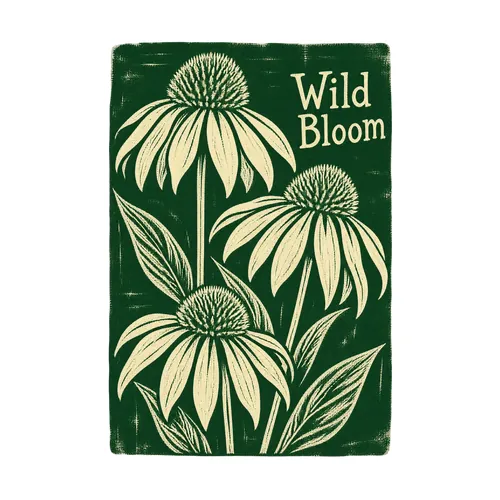 Wild BloomUse this one
Let's use number 1, "Bear".
On your T-shirt template that is 8 credits. You have 460. Shall I start?
Yes, go ahead.
Black Labrador T-shirt, Retro Mountain Landscape Sunset Graphic, Vintage Dog Lover Outdoor Adventure
13 tags, 6 photos
Open on Etsy
What to say
Say it in your own words.
There are no commands. These are sentences sellers type. Copy one to try it.
- Show my designs.
- Draw 4 versions of a retro sunset for dog lovers.
- Make an Etsy draft from the bear design on my T-shirt template.
- Rewrite the title and tags of my newest draft.
- Which orders came in this week?
- How many credits do I have left?
You stay in charge
It asks first.
The cost before the credits
Before anything paid, it tells you the price in credits and your balance. Nothing is spent until you say yes.
A draft before a listing
Listings are prepared on Etsy as drafts buyers can't see. Publishing one needs your yes.
Off in one click
You sign in to Alomations and approve the connection yourself. Disconnect it any time in Settings > Claude and it stops at once.
Questions about the Alomations MCP
What can I ask my AI to do with Alomations?
See your shops, listings, designs, orders and credit balance. Draw designs, put them on your mockups, and prepare draft listings on Etsy with a title, tags and photos. You ask in plain words and the results come back in the chat.
Which AI apps does it work with?
Claude and Codex are the two we test. In Claude, your designs and drafts appear as pictures in the chat with buttons under them. Codex answers in text. It is a standard MCP server, so other apps that speak MCP may connect too, but we have not tried them.
Does it spend credits or publish without asking?
No. Before anything paid it tells you the cost in credits and your balance, and waits for your yes. Publishing a listing to Etsy needs your yes as well.
What does it cost?
Connecting adds no fee. Whatever you ask it to make costs the same credits as it does in the app, and it tells you the number first.
Which plans can connect?
It is in early access with a first group of sellers. It opens to every paid plan next.
What is MCP?
MCP (Model Context Protocol) is the open standard AI assistants use to work with other apps. Alomations runs an MCP server, and your AI connects to it with your Alomations sign-in, so there is no key to copy.
Can the AI see my Etsy password?
No. You sign in to Alomations and approve the connection there. The AI works through your Alomations account and never receives your Etsy login.
How do I disconnect it?
Open Settings > Claude in Alomations and press Disconnect next to the app. It loses access at once, and you can connect it again any time.
One sentence in.An Etsy draft out.
In early access with a first group of sellers. Every paid plan is next.